
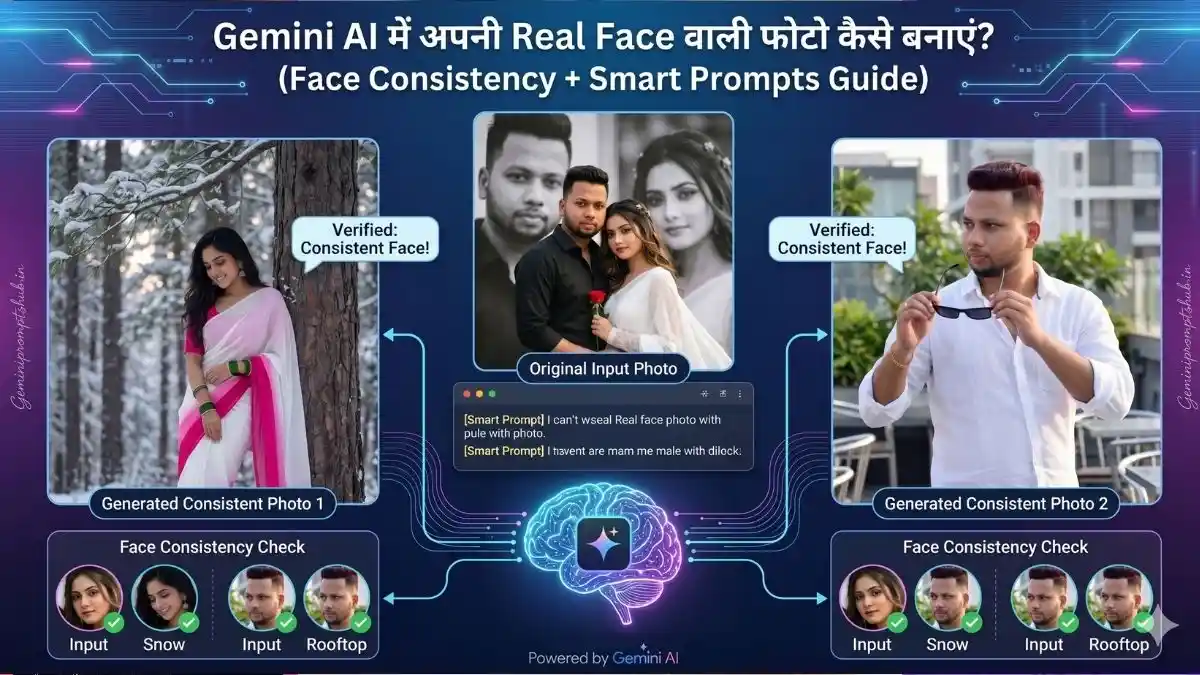
आजकल AI images हर जगह दिख रही हैं—लेकिन एक problem सबको आती है: हर बार फोटो में चेहरा बदल जाता है या रियल जैसा नहीं लगता है, AI जैसा लगता है। अगर आप भी सोच रहे हो कि Gemini AI me real face photo kaise banaye, तो ये लेख आपके लिए है।
सच बताऊँ तो AI से फोटो बनाना आसान है, लेकिन हर इमेज में अपना same चेहरा रखना थोड़ा tricky होता है। इसी को solve करने के लिए आपको समझना होगा कि AI me same face kaise rakhe और सही prompts कैसे लिखे जाएं।
इस पूरे लेख में मैं आपको step-by-step बताने वाला हूँ कि Gemini AI me real face photo kaise banaye, कैसे face consistency maintain करें, और कौन-से smart prompts use करें ताकि हर बार आपका असली चेहरा ही दिखे।
Gemini AI क्या है और इसमें Face Consistency कैसे काम करती है?
Google Gemini एक powerful AI tool है जो text के आधार पर images generate करता है। लेकिन default behavior में यह हर बार नया face create कर देता है या एकदम same uploaded फोटो के face जैसा नहीं रहता है, फोटो में AI इफेक्ट जोड़ देता है, इसलिए आपकी photo हर generation में बदल जाती है।
यही वजह है कि सबसे common सवाल आता है:
👉 AI me face change ho jata hai kya kare?
सीधा जवाब है — आपको AI को clearly guide करना पड़ेगा, बताना पड़ेगा।
जब आप prompt लिखते हो, उसमें आपको ये चीजें mention करनी होती हैं:
- same face identity
- face reference image use
- face lock / no face change instruction
- consistent facial features
जब आप इन निर्देशों को सही तरीके से अपने प्रॉम्प्ट में इस्तेमाल करते हो, तब AI बार-बार वही face maintain करता है। इसी technique को practical language में कहते हैं:
👉 Gemini AI face consistency kaise kare
Simple शब्दों में — AI खुद से perfect नहीं होता, उसे direction देनी पड़ती है। जितना clear आपका prompt होगा, उतना stable आपका face result रहेगा।
Gemini AI में Real Face Photo कैसे बनाएं (Step-by-Step)
अब आते हैं main part पर—Gemini AI me real face photo kaise banaye 👇
1. Gemini Open करें
सबसे पहले Google Gemini open करें।
2. अपनी Photo Upload करें
अपनी clear HD face image upload करें (front face best रहता है)।
3. Smart Prompt लिखें
अब prompt में clearly लिखें कि same face चाहिए।
👉 Example Prompt:
“Use the same uploaded face, maintain exact facial features, no face change, realistic skin texture, cinematic lighting, ultra HD portrait.”
4. Generate करें
Generate पर click करें और result देखें।
5. Repeat / Improve करें
अगर perfect नहीं आता तो prompt थोड़ा tweak करें और फिर try करें।
बस इसी process से आप सीख सकते हो कि Gemini AI se apni face wali photo kaise banaye और हर बार बेहतर result कैसे निकाले।
AI में Same Face कैसे रखें (Face Lock Trick)
अब सबसे important part 👇
अगर आप सच में समझना चाहते हो कि AI me same face kaise rakhe, तो ये छोटी-छोटी चीजें बहुत बड़ा फर्क डालती हैं:
- Prompt में हमेशा “same face” या “exact face identity” जरूर लिखो
- “no face change” या “do not alter face” जैसी लाइन add करो
- Reference image हमेशा clear और HD upload करो (blur ना हो)
- हर बार same lighting और angle रखने की कोशिश करो
- Prompt में “face consistency” और “face lock” जरूर mention करो।
👉 Simple बात समझ लो — AI guess करता है, लेकिन जब आप उसे बार-बार clear instructions देते हो, तब वो same face maintain करना शुरू करता है।
यही basic लेकिन powerful तरीका है जिससे आप practically समझ पाओगे कि Gemini AI face consistency kaise kare और बार-बार same face generate कर पाओगे।
Gemini AI Realistic Face Prompt (Copy-Paste)
अगर आपको ready prompt चाहिए, तो ये use करो 👇
- Boys Photo Prompt
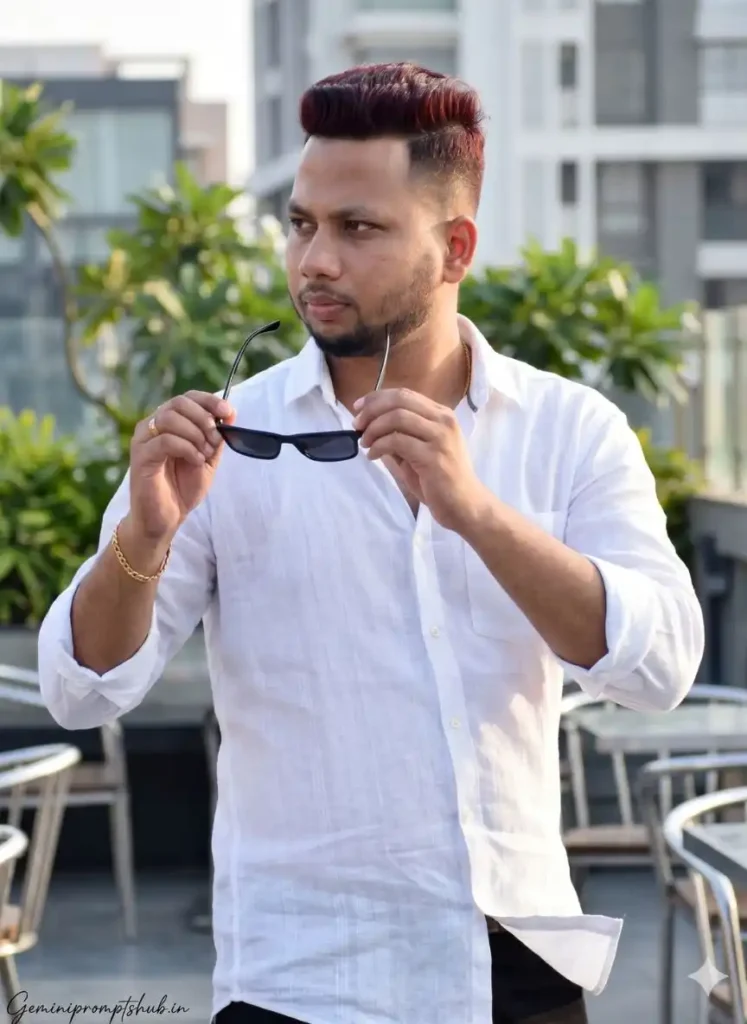
2. Girls Photo Prompts

3. Couple Photo Prompts

यह एक simple लेकिन powerful Gemini AI realistic face prompt है जो आपको better results देगा।
AI में Face Change हो जाता है – क्या करें?
ये problem almost हर beginner को face करनी पड़ती है 👇
👉 हर बार image बनाओ और face बदल जाता है
लेकिन इसका simple solution है, बस थोड़ी consistency रखनी पड़ेगी:
- हमेशा same reference image use करो (बार-बार नई photo मत बदलो)
- Prompt में साफ लिखो: “do not change face” या “keep same face identity”
- जब एक बार अच्छा result मिल जाए, उसी image को base बना लो
- Random prompts लिखने से बचो, same structure follow करो
👉 सीधी बात — AI stable तभी होता है जब आप उसे stable input देते हो।
अगर आप ये basic rules follow करते हो, तो धीरे-धीरे आपको खुद समझ आने लगेगा कि AI me face change ho jata hai kya kare और आप easily control कर पाओगे कि हर image में same face ही आए।
Gemini AI Real Face Photo Editing (Step-by-Step)
अब मान लो आपने image generate कर ली—लेकिन थोड़ा polish करना जरूरी है ताकि वो और realistic लगे 👇
- Brightness और contrast हल्का सा adjust करो ताकि face clear दिखे
- Skin smoothness को over मत करो, बस थोड़ा natural enhance करो
- Background अगर messy लगे तो clean या blur कर दो
- Final image को हमेशा HD quality में export करो
👉 Pro tip: editing करते समय face की originality खराब मत करो, वरना face consistency टूट सकती है।
इसी simple process को practically follow करने को ही कहते हैं:
👉 Gemini AI real face photo editing step by step
Best Use Cases (कहाँ Use कर सकते हो?)
अगर आप सही तरीके से Gemini AI me real face photo kaise banaye सीख लेते हो, तो इसका इस्तेमाल कई जगह कर सकते हो 👇
- Instagram profile photos – clean, attractive DP के लिए
- YouTube thumbnails – eye-catching और clickable thumbnails बनाने के लिए
- Wedding album images – cinematic और stylish album covers के लिए
- AI reels content – viral short videos और reels के लिए
- Personal branding – social media पर strong identity बनाने के लिए
👉 Simple बात — जहाँ भी आपको professional और consistent face वाली image चाहिए, वहाँ ये technique काम आएगी।
Final Tips (Real Experience)
- शुरुआत में simple prompts से ही काम शुरू करो — overthinking मत करो
- बहुत complex prompt लिखोगे तो result उल्टा गड़बड़ हो सकता है
- consistency + practice ही असली game changer है
- हर बार थोड़ा experiment करो—angle, lighting, wording बदलकर देखो
👉 धीरे-धीरे तुम्हें खुद समझ आने लगेगा कि कौन सा prompt best result दे रहा है, और वहीं से तुम्हारा output next level पर जाएगा।
निष्कर्ष
अब आपको साफ समझ आ गया होगा कि Gemini AI me real face photo kaise banaye और कैसे हर बार अपनी image में same face maintain किया जा सकता है।
शुरुआत में थोड़ा time और trial लगेगा—ये बिल्कुल normal है। लेकिन जैसे-जैसे आप prompts को सही तरीके से लिखना सीखोगे, वैसे-वैसे आपके results भी automatically improve होते जाएंगे।
👉 आज ही try करो
👉 अपनी real face वाली AI image बनाओ
👉 और practice करते-करते उसे next level तक लेकर जाओ 🚀
यह भी देखे:-